


My Selftape App
3.111.00 Reviews
App Specs
- Version
- 0.0.0.593
- Updated On
- License
- Free
- Downloads
- 10,000+
- Developer
- Apps For Actors Inc.
- Categories
- Video Players & Editors
- Platform
- Android
Screenshots
 Analysis by AppCompare
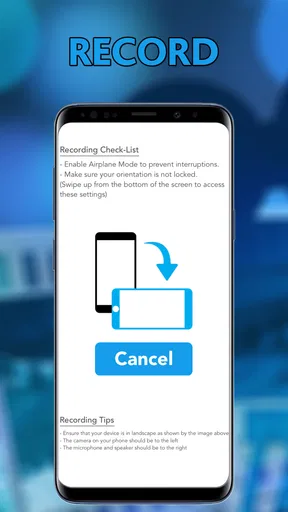
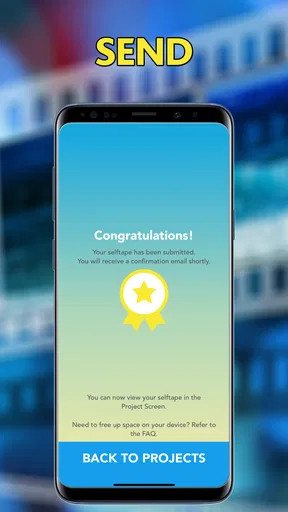
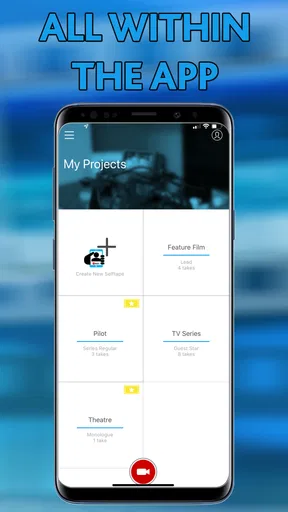
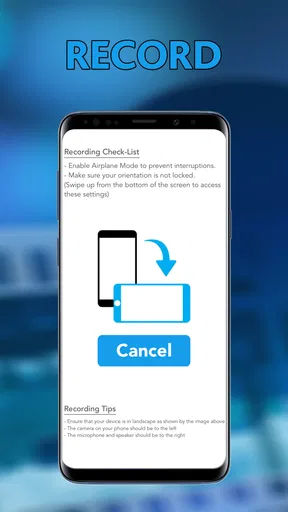
For actors, a self-tape app has one job: reduce the distance between receiving an audition request and sending a clean, presentable performance. My Selftape App is built around that practical idea, combining recording, editing, encoding, and sending in one mobile workspace. I found the concept appealing because it targets a very specific moment in an actor’s routine rather than trying to become a general video editor.
The app sits in the Video Players & Editors category and is developed by Apps For Actors Inc. It is free to install, rated for Everyone, and supports devices running Android 6.0 or later. Its current version is 0.0.0.593, while the app has been available since October 20, 2016. That combination tells me this is an established, specialized tool with a long presence, but also one that should be judged by how smoothly it handles today’s recording expectations rather than by its age alone.
My overall impression is mixed but useful. The focused workflow can be valuable when I need to capture a short audition without moving between a camera app, an editor, a file converter, and an email or messaging tool. At the same time, the modest average rating of 3.1 from around 64 ratings suggests that the experience has not been universally effortless. I would approach it as a purpose-built assistant for self-tapes, not as a replacement for a full professional video suite.
How the current self-tape workflow feels
The most convincing reason to try this app is its narrow focus. A normal phone camera is excellent at recording, but it leaves the rest of the process to the user. After filming, I may need to trim the beginning, remove an awkward ending, prepare a compatible file, and work out how to send it without creating a huge attachment or an inconvenient format. My Selftape App is designed to keep those steps together.
That matters in a realistic situation. Imagine receiving a request in the afternoon with a submission deadline later the same day. I can set up the phone, record the scene, review the take, make a basic adjustment, encode the result, and prepare it for delivery without opening several unrelated apps. The advantage is not cinematic quality; it is less friction between performance and submission.
I would still treat the recording environment as more important than the app itself. A quiet room, a stable phone position, soft light, and clear framing will influence the result far more than a long list of editing controls. This app makes the workflow more contained, but it cannot correct distracting background noise, poor lighting, an unstable camera, or a performance recorded from an unflattering angle.
The app is also relevant for actors who repeatedly submit short auditions and want a familiar routine. Once a person knows where to record, inspect, edit, and prepare a file, the process can become more predictable. That consistency is useful when nerves and time pressure are already present. I would not expect it to teach audition technique, improve delivery, or replace a reader; its value is operational rather than creative.
Worth Reading Before You Choose

Baby Panda World Brings Quick Play to Modern Phones, but Its Game Library Feels Busy

ESPN’s Live Game View Makes Following Close Games Easier

QuizzLand Review: A Good Fit for Short Trivia Breaks, Not Every Player

Basketball Stars: Multiplayer Is Fast, but Can It Recover When Matches Go Wrong?

WEBTOON Turns Phone Updates Into a Better Reading Routine

Link to Windows Runs on Shared Habits, Not Social Feeds
Recording with the right expectations
A self-tape is often judged first by whether the viewer can see and hear the actor comfortably. I would therefore use the app after preparing the scene, not as a substitute for preparation. Before pressing record, I would check that the phone is at eye level, the frame leaves suitable space around the actor, and the background is not competing for attention.
One practical habit is to record a brief test before committing to the full take. That lets me listen for room noise and confirm that the framing is sensible. It also avoids discovering after several attempts that the phone was too close, the actor was partly outside the frame, or a nearby appliance created an annoying hum. The app’s all-in-one approach is most helpful when paired with this small quality-control step.
I would also keep the phone still throughout the performance. A dedicated stand or a stable surface is preferable to holding the device. Even if the application handles recording correctly, handheld movement can make a self-tape feel improvised in the wrong way. The best use of this tool is to simplify the technical chain while I take responsibility for the physical setup.
Editing and encoding are more important than they sound
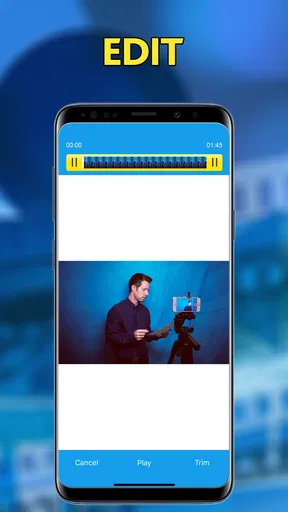
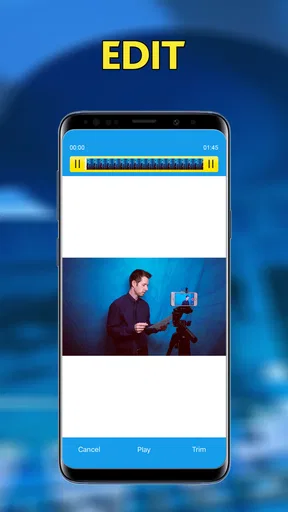
Basic editing is particularly useful for removing the few seconds before the scene begins or the moment after the actor finishes. Those small trims make a submission feel deliberate. I would avoid aggressive editing, filters, decorative titles, or anything that distracts from the performance. For an audition, clean and restrained is usually safer than visibly processed.
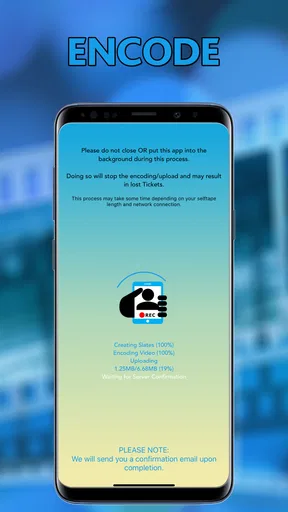
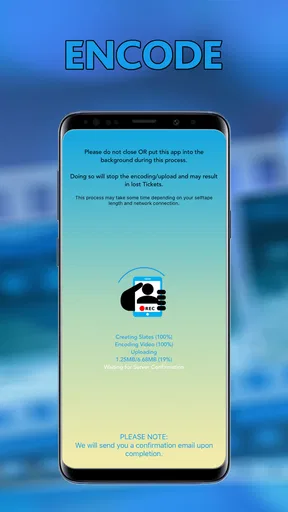
Encoding is another practical part of the workflow. A video can look fine on the phone and still be inconvenient to send if the file is unnecessarily large or saved in a format the recipient does not handle well. Keeping encoding inside the same process may reduce that uncertainty. However, I would still review the final file before sending it, because a smaller file can involve a trade-off in image or sound quality.
That trade-off is one of the app’s less obvious considerations. If the submission is a close, dialogue-heavy scene, preserving understandable speech should take priority over making the file as small as possible. If the recipient has requested a particular format or maximum size, I would follow those instructions first and use the app’s encoding step as a means to meet them, not as an automatic guarantee that every export is suitable.
What the app changes for existing users
The current version, 0.0.0.593, is the clearest version marker available for understanding the app’s present state. Its numbering looks like a specialized product that has continued through incremental development rather than a newly launched consumer platform. The release history reaching back to 2016 also suggests that the app has had time to establish its basic purpose.
That does not automatically mean that every part of the experience feels modern. A long-running app can preserve a useful workflow while still feeling less polished than newer camera and editing tools. For an existing user, the main benefit of staying with it is familiarity: saved habits, a known sequence, and less need to rebuild a self-tape routine around a different application.
For someone installing it now, the question is different. I would look for immediate stability during a test recording, predictable playback, and a final file that can be opened after encoding. If those fundamentals work on the device, the app’s focused design may be worthwhile. If the first session feels confusing or unreliable, the fact that it has been available for years will not compensate for that personal experience.
The app has passed the ten-thousand-install mark, which places it in a niche rather than mass-market position. That fits the product: it is aimed at actors and people helping actors prepare submissions, not at everyone who wants to edit social videos. Its audience size also helps explain why I would not expect the breadth of features found in major editing platforms.
Where it compares well with ordinary alternatives
The usual alternative is to use the phone’s built-in camera, trim the footage in a separate editor, and then share it through another service. That route can produce excellent results, especially for users who already understand their tools. It also offers more flexibility when the project needs layered audio, detailed cuts, captions, color adjustments, or a carefully controlled export.
My Selftape App has a different advantage: fewer handoffs. For a simple audition, moving between several apps can create duplicate files, confusing filenames, and uncertainty about which version is the final one. A dedicated self-tape workflow can be easier to repeat, particularly for someone who does not want to learn a full editing application just to remove a few unwanted seconds.
On the other hand, I would choose a conventional camera and editor for a more demanding production. If I needed multiple angles, extensive sound work, advanced color correction, or a polished showreel, a general video editor would be the stronger option. The specialized app makes sense when the task is a straightforward audition submission, not when the video itself is the creative project.
There is also a difference in control. General-purpose tools often expose more export settings and editing choices. That is useful for experienced creators but can slow down a person who only wants a clean take. The focused approach is therefore a trade-off: convenience and repetition in exchange for less room to customize the entire production.
Small workflow decisions that make a real difference
My first recommendation would be to create a repeatable pre-recording checklist. I would confirm the script, position the phone, test the sound, record a short sample, and only then capture the full take. This is more reliable than trusting the app to reveal every technical problem after the performance is finished.
Second, I would keep the original take until the final version has been checked. Editing and encoding are useful, but an export is a new stage in the workflow. Keeping the source temporarily gives me a way back if the trimmed version begins too early, ends too late, or loses an important moment during preparation.
Third, I would name or organize files around the role and scene rather than relying on memory. Self-tapes can accumulate quickly, and a vague file name makes it harder to identify the correct take. Even when the app handles the recording and sending steps, personal organization remains essential.
A fourth insight is to separate performance review from technical review. First I would watch the take as an actor, considering delivery and choices. Then I would watch it again as a recipient, checking framing, speech clarity, unwanted pauses, and whether the beginning and ending feel intentional. This two-pass method helps prevent a technically neat file from hiding a weak take, or a strong performance from being undermined by avoidable presentation issues.
Costs, limitations, and who should be cautious
The app is free to download, but it includes in-app purchases ranging from $4.99 to $19.99 per item. That makes it important to understand the basic experience before deciding whether any paid component fits my workflow. I would not assume that installing it means every part of the process is permanently free, and I would review the purchase screen carefully before confirming anything.
The rating of 3.1 is another reason to test the app with a short, non-urgent recording first. A tool used for auditions needs to behave predictably when the deadline matters. I would not make my first serious submission on a new installation without checking the complete path from recording to final file and delivery preparation.
People who want a modern, full-featured editor should probably skip this app. The same is true for creators making travel videos, tutorials, music performances, or social clips that need elaborate visual treatment. Its value is tied to the self-tape scenario, so the narrower the job, the more sense it makes.
I would also be cautious if the submission instructions are unusually specific. When a casting contact requires a precise naming convention, unusual file type, separate audio, or a particular delivery method, I would verify the finished result manually. An all-in-one workflow reduces steps, but it does not remove the responsibility to meet the recipient’s instructions.
What I would watch before relying on it
For future use, I would pay attention to how well the current version fits newer phones and current audition habits. The app’s minimum operating-system requirement is Android 6.0 or later, which makes it accessible to a broad range of compatible devices, but compatibility alone does not tell me how comfortable it feels on every screen or camera setup.
I would also watch the balance between simplicity and control. If updates preserve a quick recording-to-sending path, that is valuable. If new options make the workflow harder to understand, the app could lose the very focus that distinguishes it from ordinary editors. For this kind of tool, a small number of dependable actions is often better than a crowded interface.
Another point worth watching is whether the export step remains dependable for different submission requirements. Actors may work with agencies, casting platforms, teachers, or independent directors, and each may have different preferences. The more clearly the app communicates what the final file is doing, the easier it is to use confidently under pressure.
I would not treat the current version as proof of a major transformation, nor would I assume that the older release date makes it irrelevant. The sensible view is that the app has a stable, specialized identity, while its usefulness depends on how well that identity meets a particular actor’s present workflow. My expectations would remain practical: reliable recording, sensible trimming, usable encoding, and a straightforward path toward sending.
My recommendation for actors deciding today
I see My Selftape App as a potentially handy utility for actors who regularly create simple audition videos and dislike juggling several separate applications. Its strongest idea is not advanced editing; it is keeping the essential self-tape stages together. That can save attention at exactly the point when an actor should be focused on the scene rather than on file management.
I would recommend trying it with a low-pressure test. Record a short sample, inspect the framing and sound, make a modest trim, encode it, and open the result before using it for an important submission. That test answers the questions that matter most to an individual device and workflow without risking a real deadline.
For experienced video editors, the app may feel restrictive compared with the control offered by a camera app plus a dedicated editor. For beginners and busy performers, the focused design may be more approachable. The free entry point makes experimentation reasonable, while the in-app purchase range means I would decide carefully whether any paid option genuinely improves my process.
In the end, I would choose it for speed and concentration, not for visual ambition. It is best viewed as a compact audition-production tool from Apps For Actors Inc., with a clear purpose and some reasons to test before trusting it completely. If your priority is sending a clean self-tape without building a complicated editing workflow, it is worth exploring. If your priority is maximum creative control, a conventional video setup will likely serve you better.
Pros
- Simple recording tools make audition tapes quick to produce.
- Supports repeated takes
- helping you choose the strongest performance.
- Useful for practicing lines before submitting a final audition.
- Keeps the workflow focused without unnecessary social features.
- Convenient for actors working on auditions away from a studio.
Cons
- A polished self-tape may still require separate video editing tools.
- Recording quality depends heavily on your phone’s camera and microphone.
- Limited space or poor lighting can reduce the final tape’s professionalism.
- Large video files may take time to save or upload.
- Some useful features may require an in-app purchase or subscription.
FAQs for My Selftape App
What is the My Selftape app used for?
My Selftape is designed to help actors record, organize, and submit audition self-tapes directly from a mobile device. It provides tools for capturing video, reviewing takes, and preparing audition materials without needing a professional camera setup. The app is especially useful for performers who want a convenient way to create auditions at home, while traveling, or whenever a casting deadline is approaching.
Can I record a professional-looking audition with My Selftape?
The app can help you produce a clean and presentable audition, but the final quality depends heavily on your phone, lighting, audio, background, and performance. Before recording, choose a quiet location, place the device at eye level, and use soft lighting facing you. My Selftape may simplify the technical process, but it cannot replace thoughtful preparation, clear sound, and a suitable acting environment.
Does My Selftape support multiple takes and audition projects?
My Selftape is intended for actors who need to manage more than one audition, so organizing separate projects and recording multiple versions is an important part of the experience. You can typically review your takes before deciding which one to keep or submit. However, available organization, storage, and export options may vary depending on the app version and your device’s operating system.
Can I edit, export, or share my self-tape from the app?
The app is built around the self-tape workflow, including recording and preparing audition videos for delivery. Depending on the current version, you may be able to trim footage, select a preferred take, save the finished file, or share it through supported services. It is still a good idea to check the final video and audio before sending it, since casting instructions can require specific formats or file sizes.
Is My Selftape free to download, and are there any limitations?
My Selftape’s download availability, pricing, and included features can differ between Android and iOS, as well as between free and paid plans. Some tools may be available without payment, while advanced recording, editing, storage, or submission features could require an upgrade or subscription. Before downloading, review the store listing, in-app purchase details, privacy information, and cancellation terms to avoid unexpected charges.


